DA Drive Analyzer for ASUSTOR NAS
AI-Powered HDD & SSD Drive Health Monitoring
Predict drive failures on your ASUSTOR NAS before data is at risk.
DA Drive Analyzer continuously monitors HDD and SSD health using AI and multi-signal analysis to detect early degradation and prevent unexpected downtime.
Why AI Drive Health Monitoring Is Needed for ASUSTOR NAS
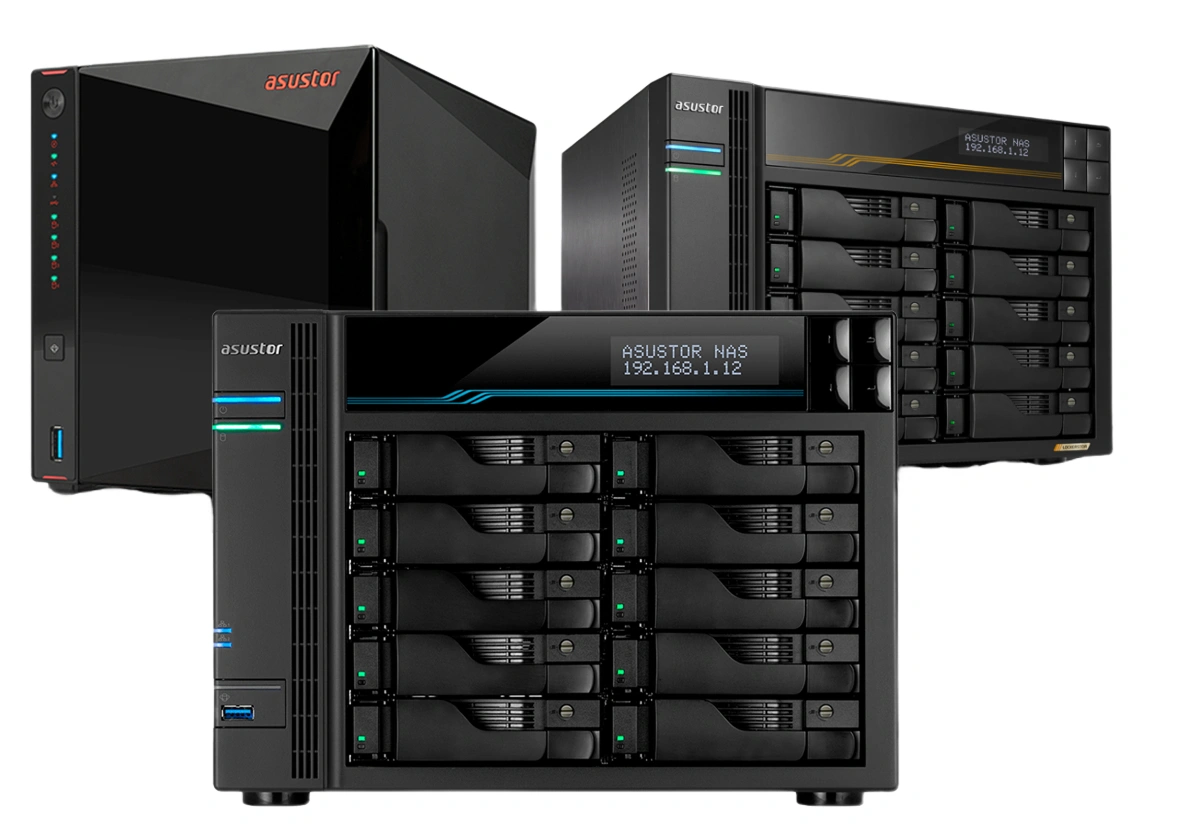
DA Drive Analyzer adds an AI-powered drive health monitoring layer for ASUSTOR NAS that analyzes multiple drive health signals together over time.
This enables earlier detection of subtle failure patterns that traditional NAS monitoring tools often miss.
Built-In NAS Monitoring
-
Detects failures using SMART thresholds and bad sector scans
-
Evaluates metrics individually
-
Short warning times
-
Limited historical pattern analysis
DA Drive Analyzer
-
Detects subtle degradation patterns early
-
Multi-signal AI analysis
-
Predicts failure probability
-
Tracks health trends over time
Most drive failures do not happen suddenly
They develop through small warning signs that traditional monitoring often misses.
Early detection can provide valuable time to back up or replace drives safely – reducing the risk of unexpected data loss.
Built for ASUSTOR NAS
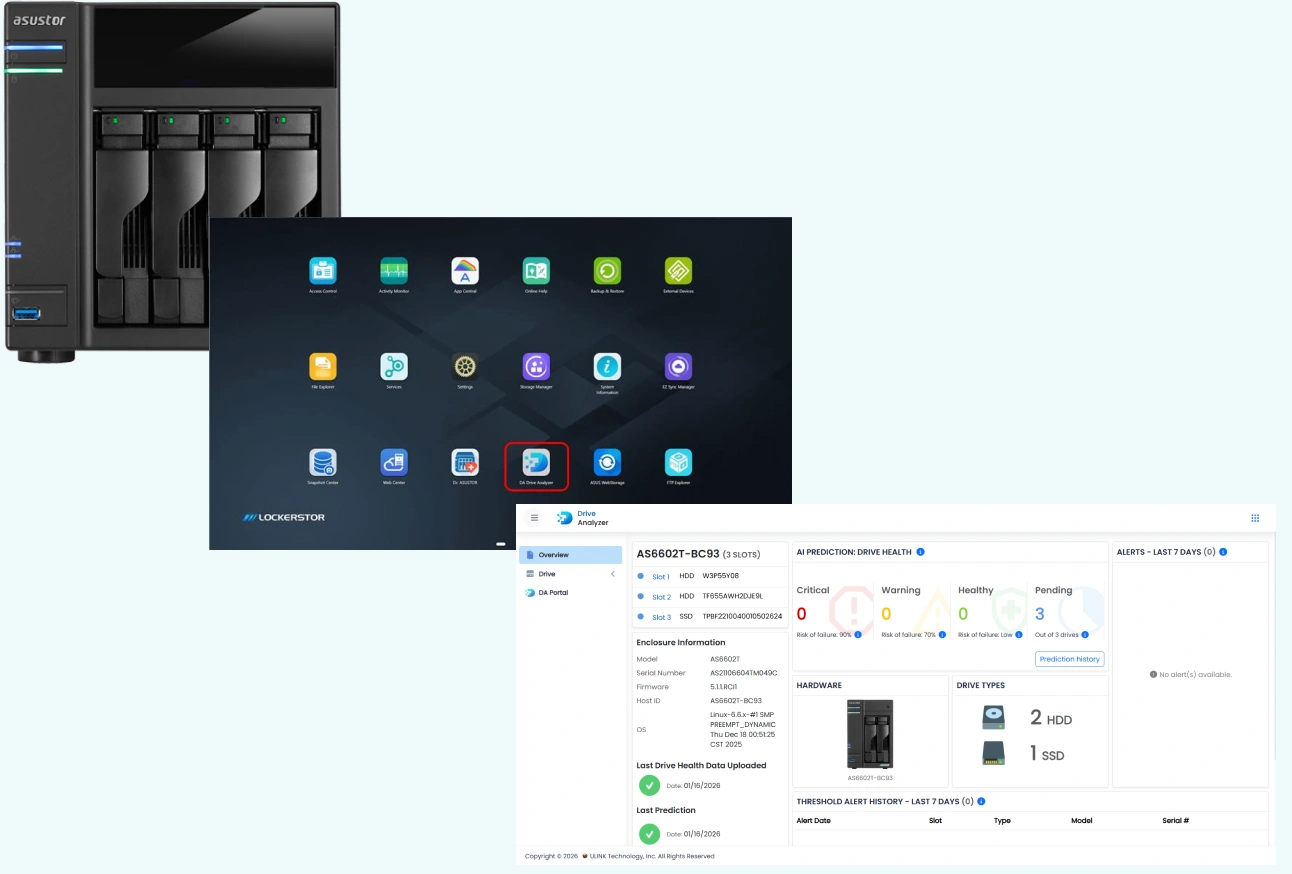
DA Drive Analyzer runs directly inside your ASUSTOR NAS and continuously monitors drive health in the background.
Automatically collects drive health data
AI predictions typically begin within 24 hours
Works silently without manual scans
Automatic Background Protection
24/7
Drive health monitoring runs around the clock with zero maintenance.
Set It and Forget It
Native ADM Integration
Key Features for ASUSTOR NAS Users
AI-Based Drive Failure Alerts
Detects early drive degradation so you can back up or replace drives before failure occurs.
Threshold-Based Alerts
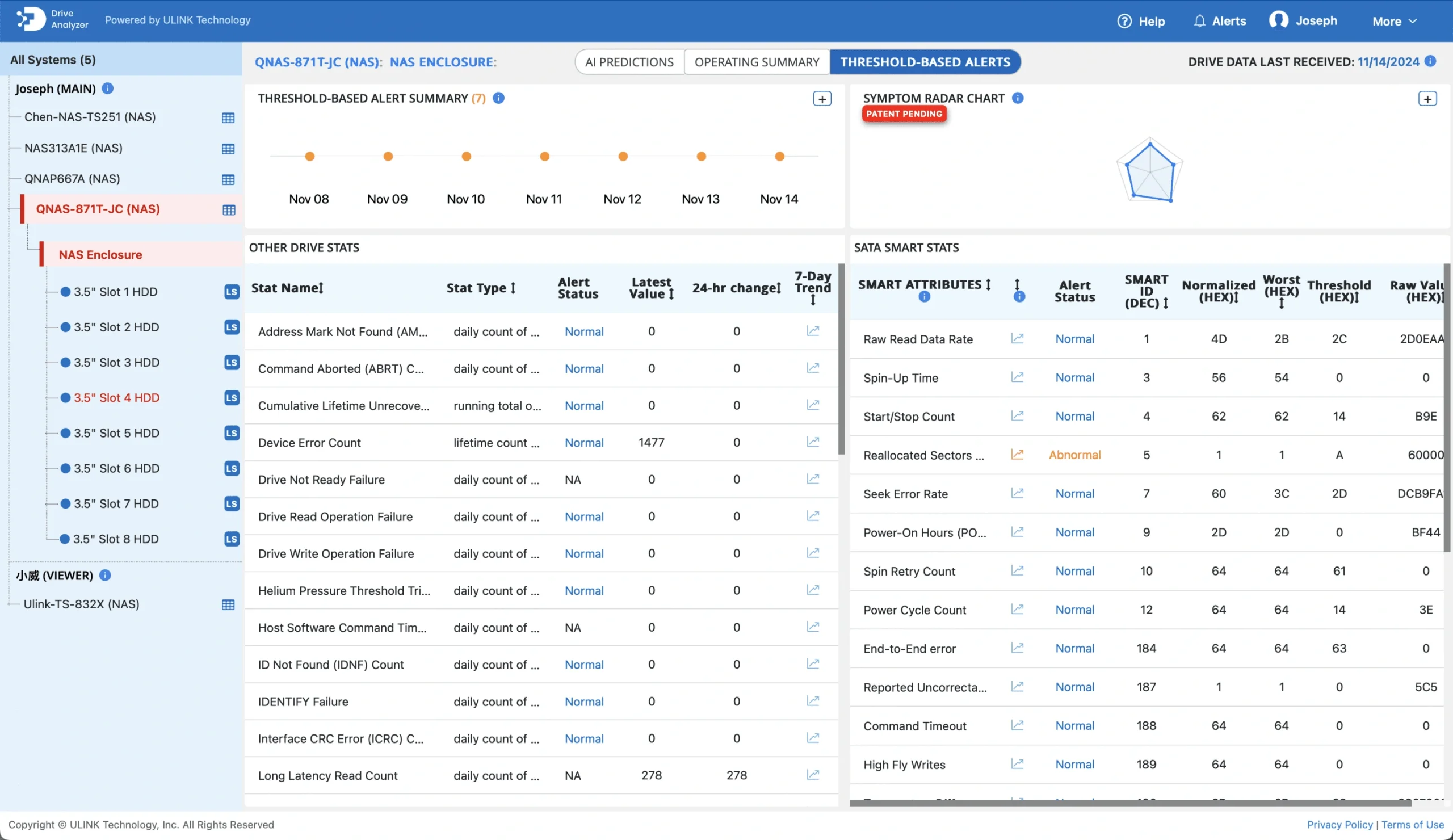
Combines SMART alerts with expert-defined rules to catch problems traditional monitoring might miss.
Detailed Health Metrics
Understand exactly what is happening inside your drives with detailed health metrics and system diagnostics.
HDDs & SSDs Supported
Works across most commercial HDDs and SSDs, helping you monitor mixed storage environment
Automatic Background Runs
Continuously monitors drives in the background so you never need to run manual health checks.
Centralized Cloud Drive Intelligence
View drive health, alerts, and predictions across multiple systems using the DA Portal cloud dashboard.
Proven Accuracy of AI Drive Prediction
DA Drive Analyzer uses machine learning models developed using health data from millions of real-world storage drives.
How Our AI Works
Unlike traditional S.M.A.R.T. monitoring that reacts to individual thresholds, our AI evaluates multiple health indicators together and tracks behavioral trends over time.
Multi-signal drive health analysis
Trend-based degradation detection
Earlier risk identification
More failing drives caught than SMART trips
When predicting drive failures
Prediction Generation
After installation
Subtle Pattern Detection
Beyond threshold-based monitoring
How Drive Monitoring Works on ASUSTOR NAS
Four simple steps to protect your drives
Install the App
Download DA Drive Analyzer from App Central on your ASUSTOR NAS.
Collect Drive Health Data
The app automatically collects health data from the drive and system.
AI-Based Analysis
Our AI analyzes trends and patterns to identify early failure risks.
Alerts & Insights
View at-risk drives, alerts, and health details directly in the app or via DA Portal.
Choose Your License
Select the plan that fits your ASUSTOR NAS setup. All plans include full AI-powered drive failure prediction.
| Feature |
FREE TRIAL
DA NAS Trial
$0.00
for 1 week
No credit card
Get Trial License
|
2-bay
$5 / year
Buy License
|
4-bay
$15 / year
Buy License
|
8-bay
$30 / year
Buy License
|
POPULAR
16-bay
$60 / year
Buy License
|
32-bay
$90 / year
Buy License
|
|---|---|---|---|---|---|---|
| Drive coverage | All drives | Up to 2-bay | Up to 4-bay | Up to 8-bay | Up to 16-bay | Up to 32-bay |
| Cloud Monitoring | ||||||
| AI-Based Drive Failure Predictions | ||||||
| Daily Drive Health Monitoring | ||||||
| AI Radar Chart | ||||||
| Fault & Threshold Alerts | ||||||
| Exportable Alerts & Reports | ||||||
| Email Alerts & Weekly Reports | ||||||
| In-App Notifications | ||||||
| DA Portal (free cloud dashboard) | ||||||
| DA Monitor (free desktop app) | ||||||
| SATA, SAS & NVMe support | ||||||
| Customer support (email) |
All paid plans are billed annually. Feature set is identical; only supported bay capacity differs.
Monitor Drive Health at a Glance
Explore the DA Drive Analyzer interface on ASUSTOR NAS
Login Screen
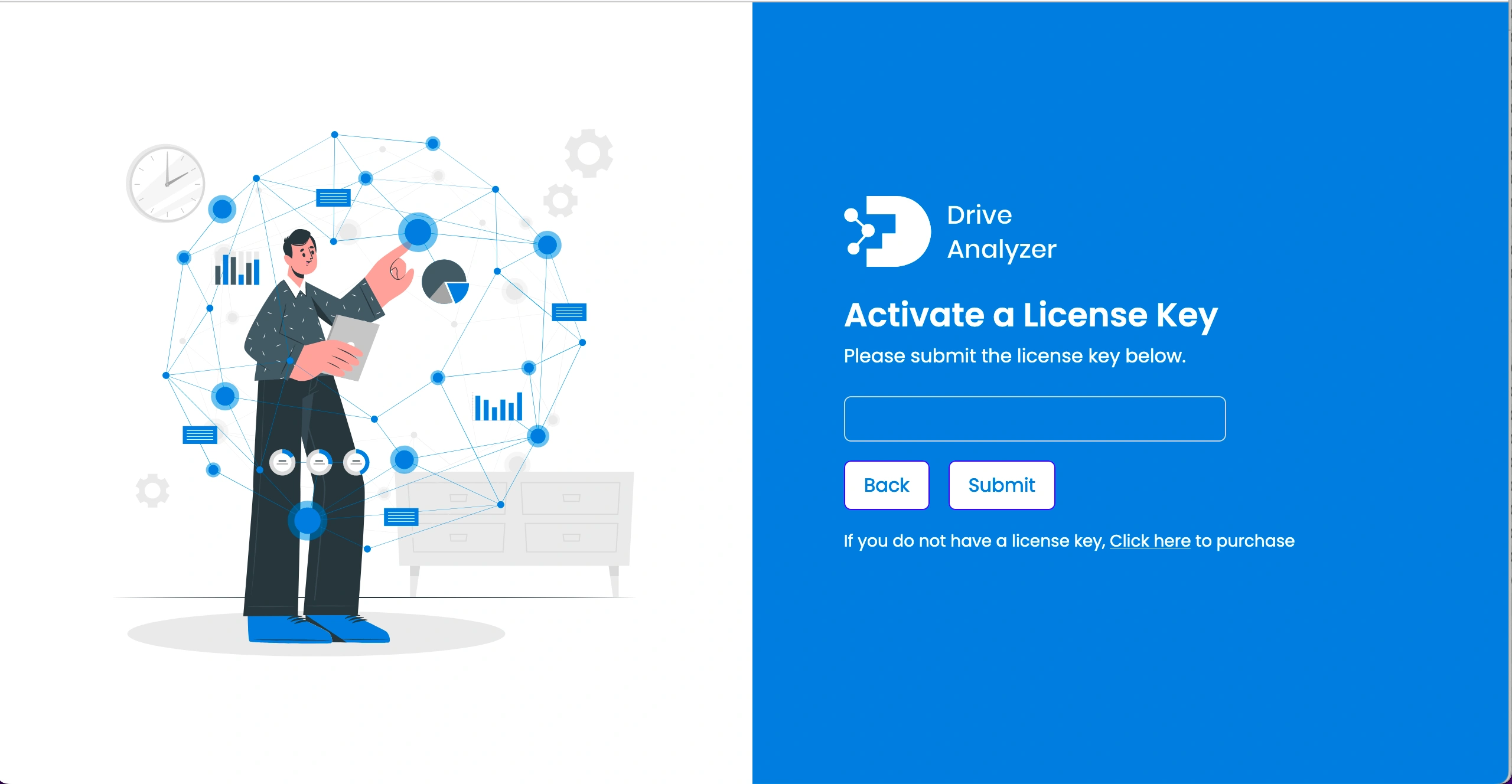
Activate License
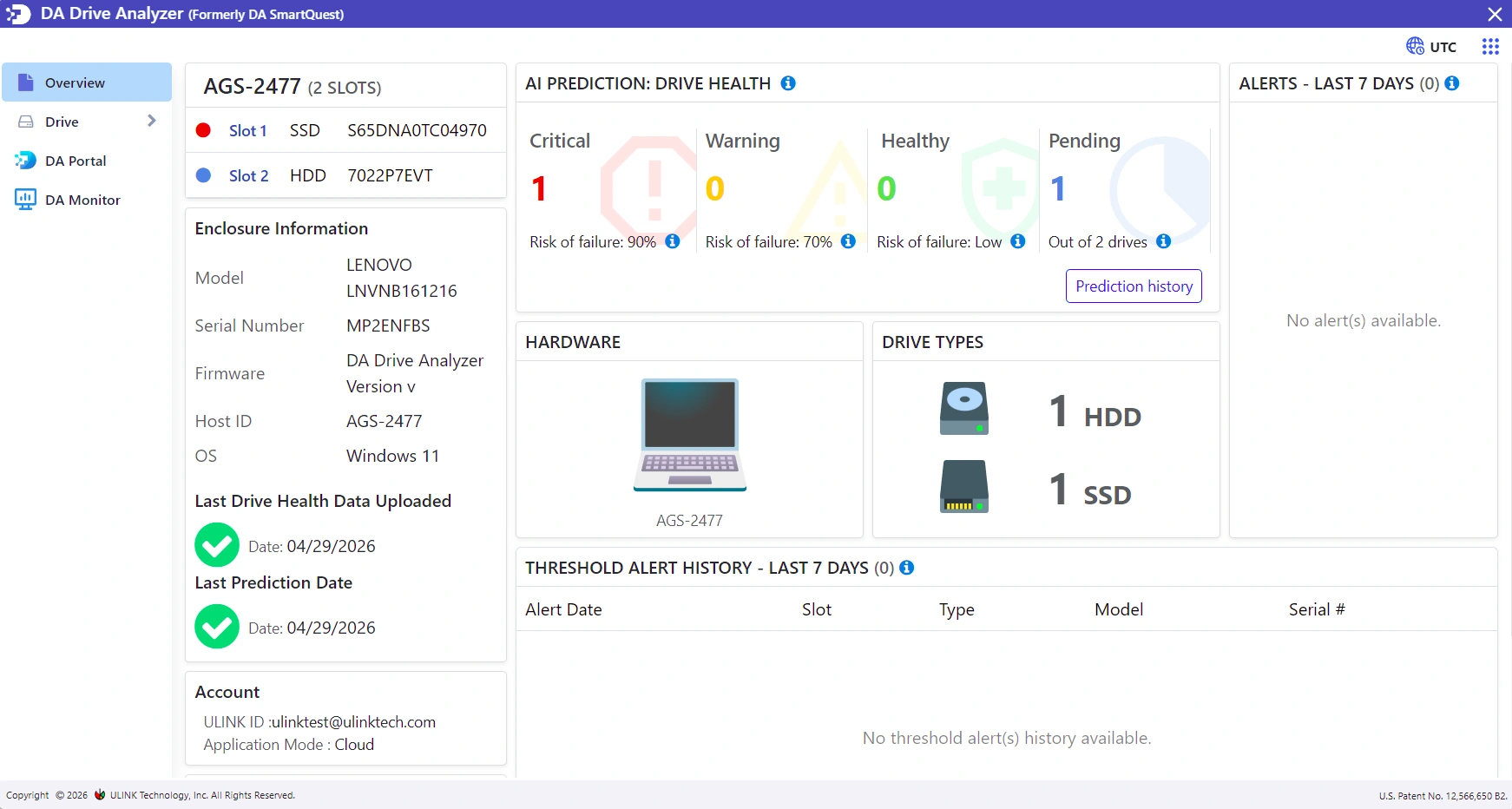
Drive overview & health status
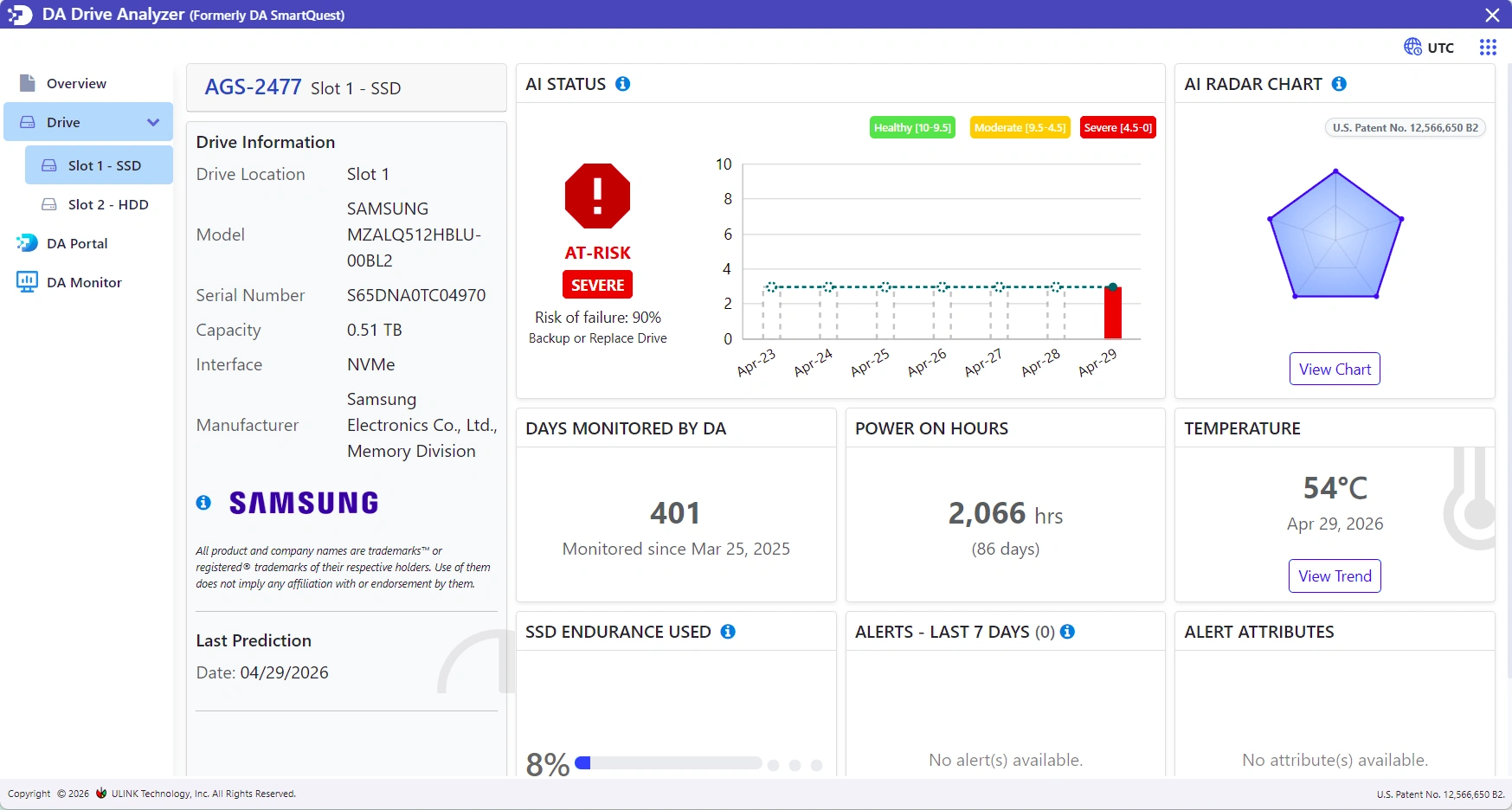
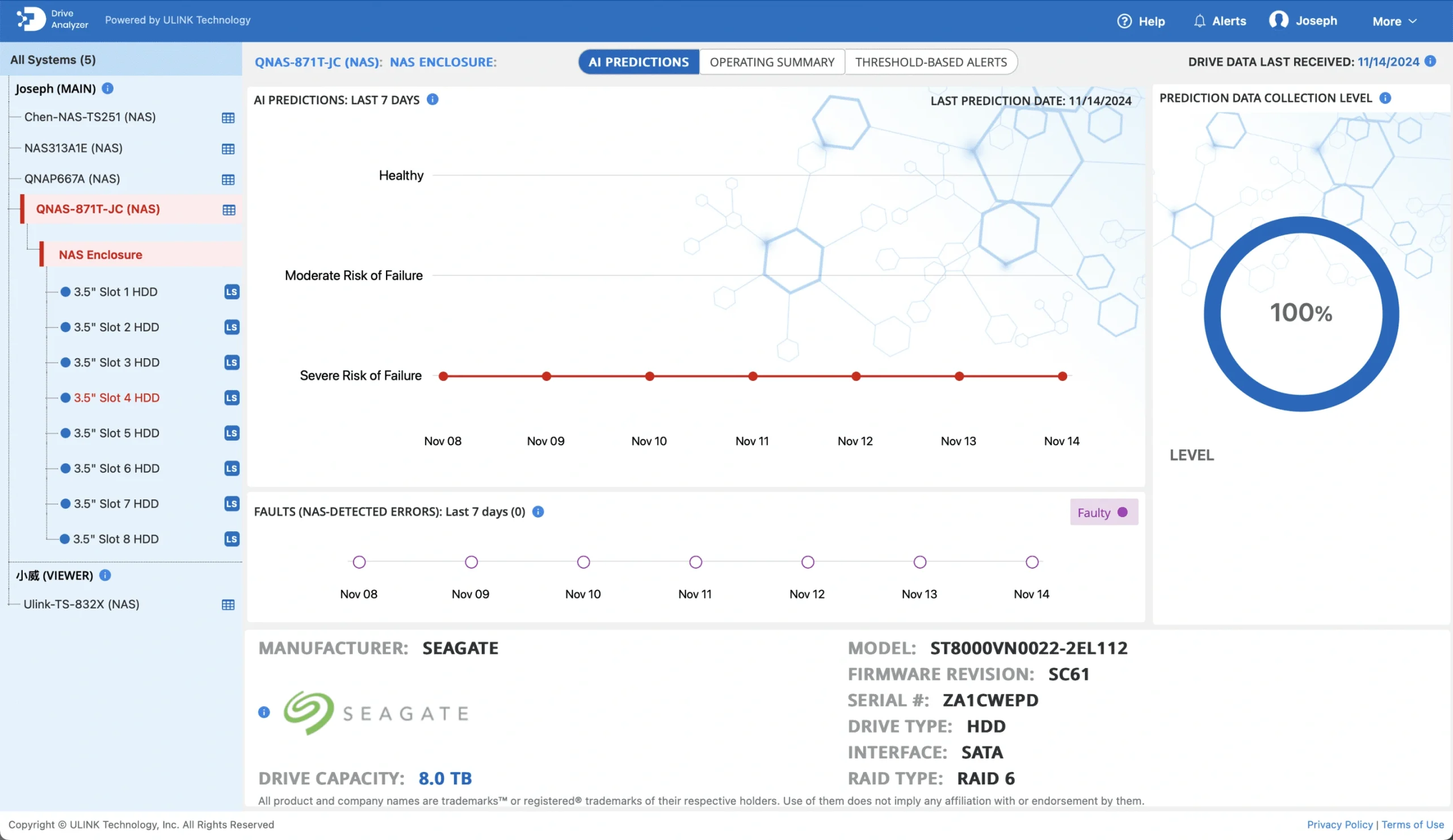
AI-based failure prediction
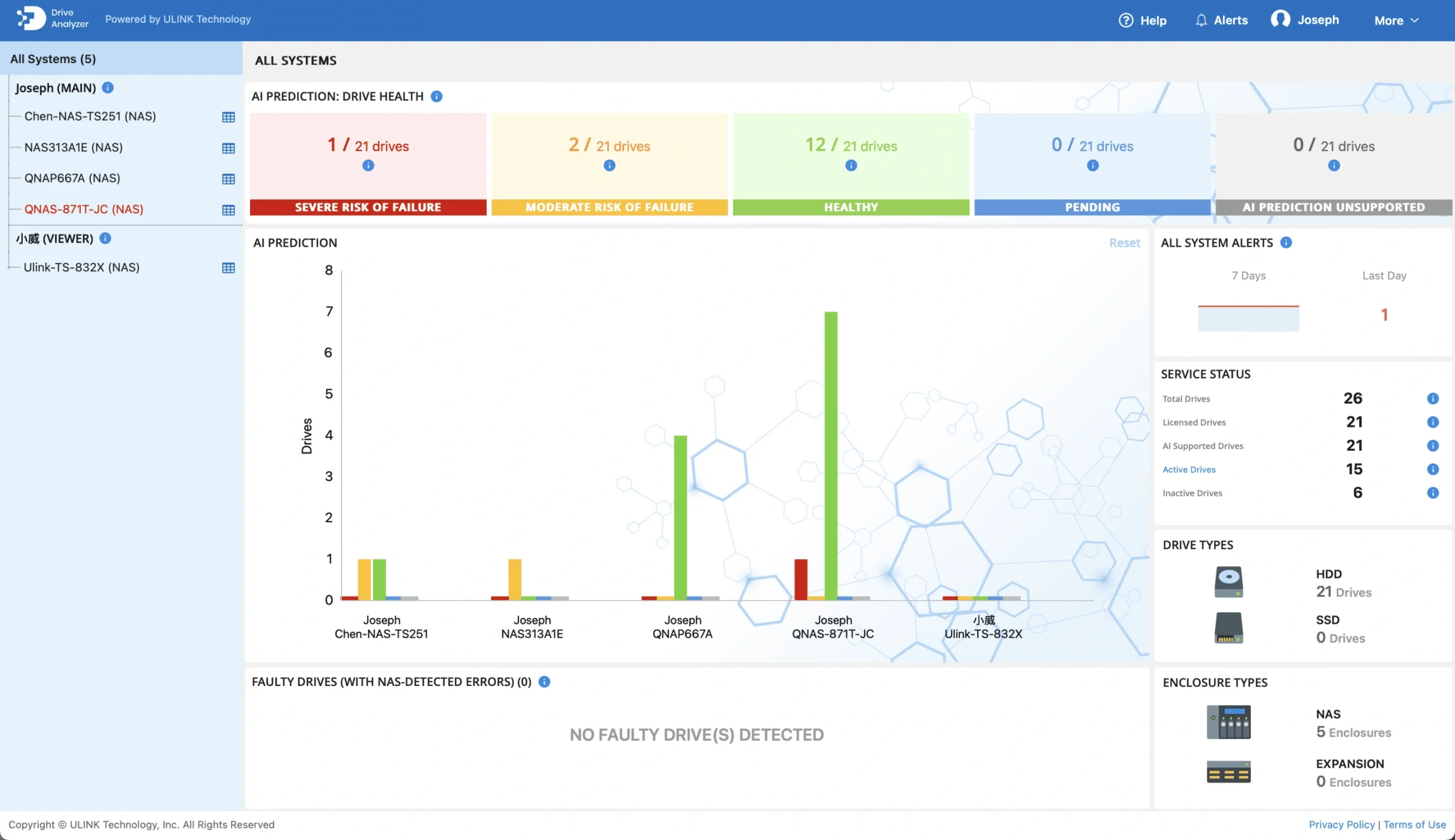
DA Portal – Your Central Drive Intelligence Dashboard
Monitor multiple NAS systems, track AI predictions over time, and investigate drive symptoms from a single secure dashboard.
See every drive across systems in one place
Unified view of all your NAS drives, regardless of location
Investigate failure causes using symptom radar
Drill down into specific drive issues with detailed diagnostic data
Track prediction history over time
See how drive health evolves and validate AI accuracy
Receive alerts without logging into each NAS
Centralized notifications for all your monitored systems
Privacy-First & GDPR Compliant
DA Drive Analyzer does not collect personal data or file content written to your drives. Documents, photos, videos, and user files are never accessed.
Drive health metrics only
No file content collection
GDPR compliant
GDPR Compliant
Private
Works With 99%+ of Commercial Drives
DA Drive Analyzer supports over 99% of commercially available HDDs and SSDs. If your drive isn’t supported, cancel within 14 days for a full refund.
SATA HDDs & SSDs
NVMe SSDs
SAS/SCSI Drives
Frequently Asked Questions
Everything you need to know about DA Drive Analyzer for ASUSTOR NAS
Built by Storage Experts at ULINK
DA Drive Analyzer for ASUSTOR NAS was developed by ULINK Technology to bring enterprise-grade AI drive failure prediction to NAS systems making proactive drive health monitoring accessible to ASUSTOR users.
Protect Your ASUSTOR NAS From Drive Failure
Get early warnings and actionable insights before drive problems cause data loss.