
DA Drive Analyzer for Windows
AI-powered SSD & HDD health monitoring for Windows PCs and Server.
Detect drive failures early, monitor disk health, and protect your data with secure cloud or completely offline Standalone Mode.
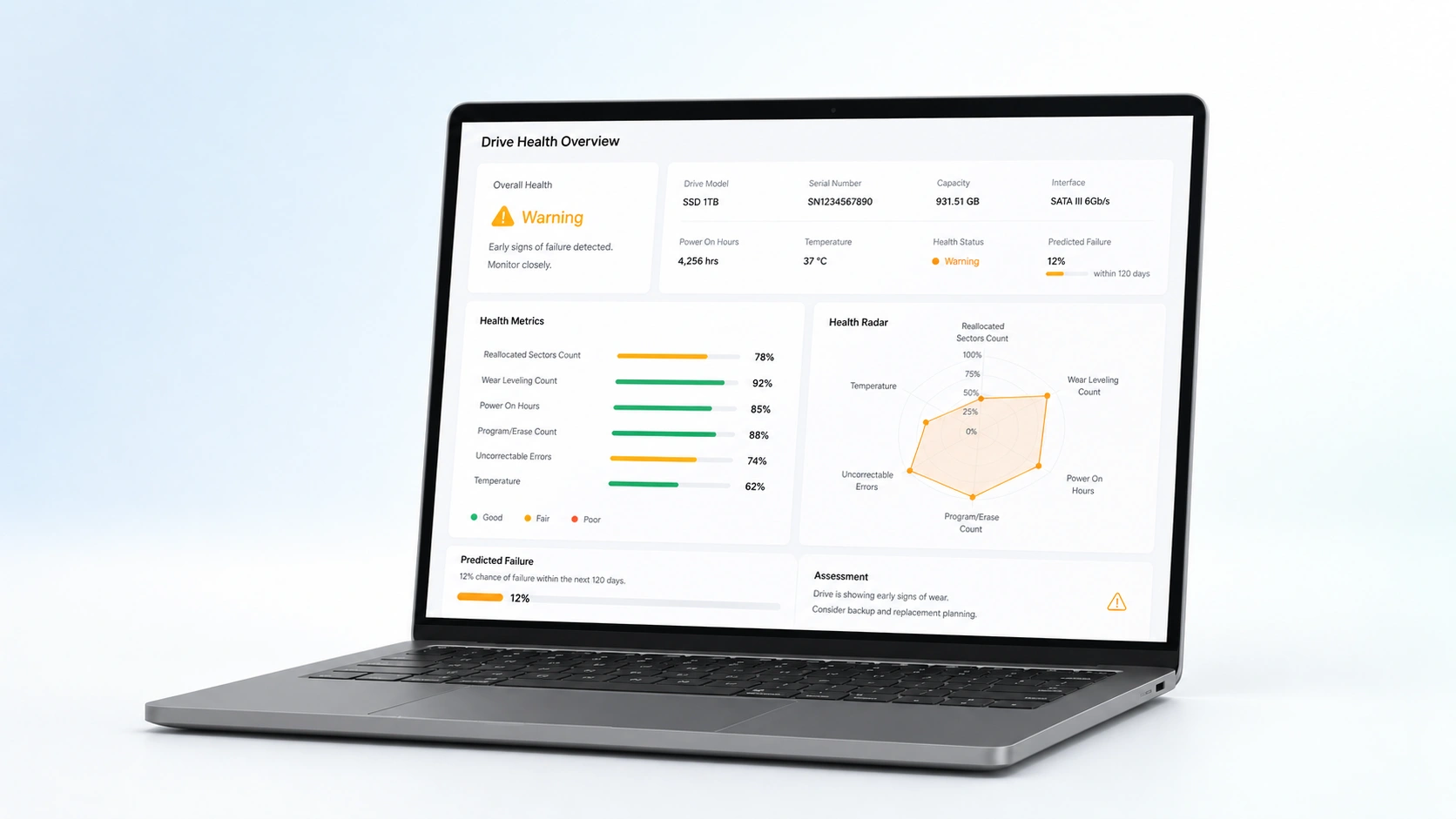
Why AI-Based Drive Monitoring Matters
Traditional monitoring tools rely on individual SMART thresholds that trigger alerts only after significant degradation has already occurred.
DA Drive Analyzer evaluates multiple drive health indicators together and tracks behavioral trends over time. This allows earlier detection of subtle failure patterns that threshold-only monitoring often misses.
Our 2025 AI model is 13.7× more precise than SMART trips when predicting drive failures.
Single Metric
Threshold
AI Analysis
Multi-Signal AI Analysis
Smarter Than Traditional Drive Health Checks
Traditional tools rely on single-metric thresholds. DA Drive Analyzer’s AI analyzes multiple drive health signals over time, identifying subtle failure patterns with higher accuracy.
Multi-metric analysis
Trend-based predictions
Reduced false positives
AI-Powered Drive Intelligence for Windows
DA Drive Analyzer for Windows brings AI-powered drive health analysis to Windows PCs and Servers. It continuously monitors disk behavior, detects subtle degradation patterns, and delivers early, actionable insights either through secure cloud intelligence or fully offline Standalone Mode.
Monitor HDD & SSD health
Predict drive failures early
Receive AI and threshold alerts
Operate in Cloud or Standalone Mode

See Your Drive Health at a Glance
Explore DA Drive Analyzer for Windows’s intuitive interface
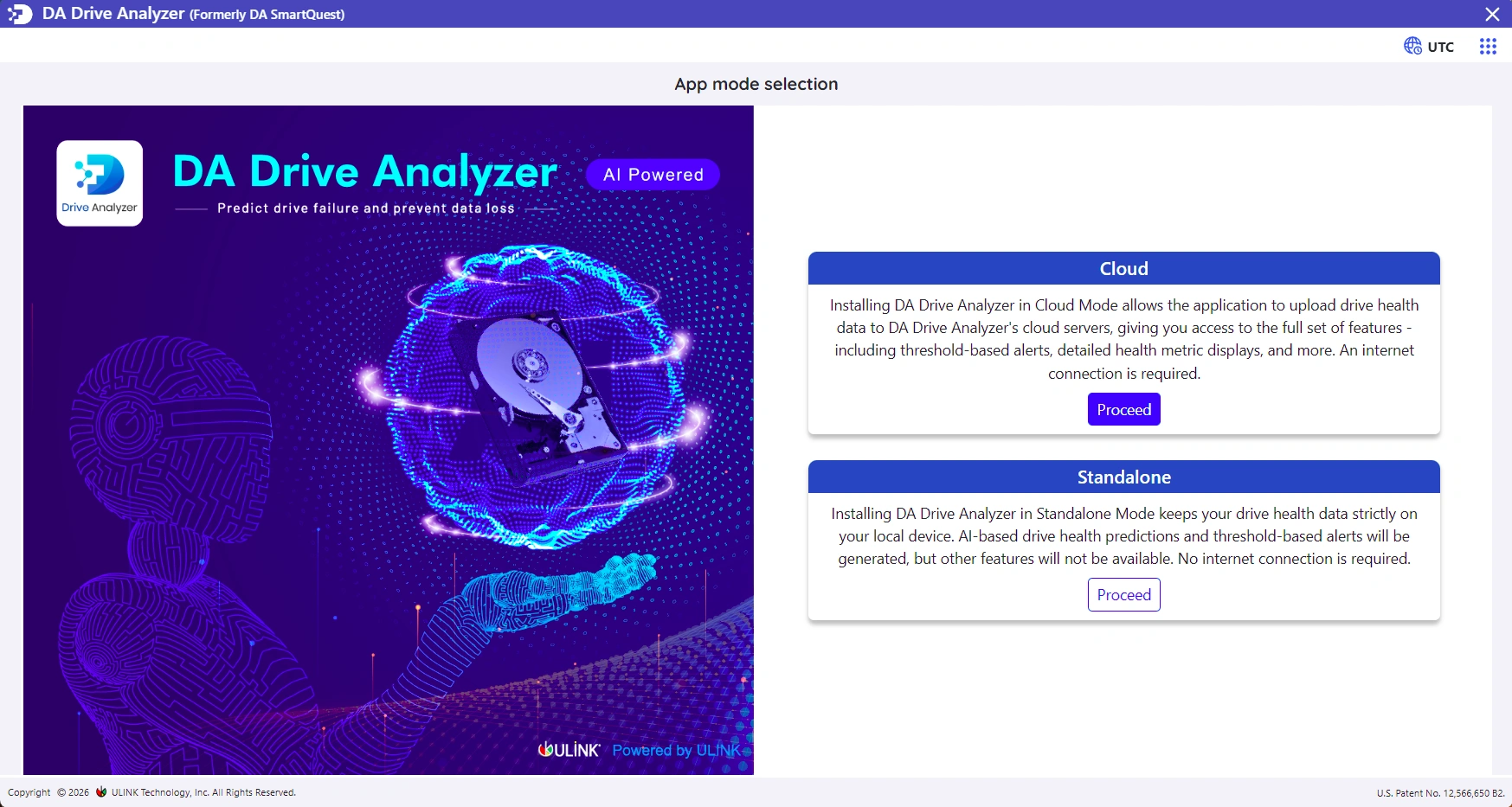
Drive overview & health status
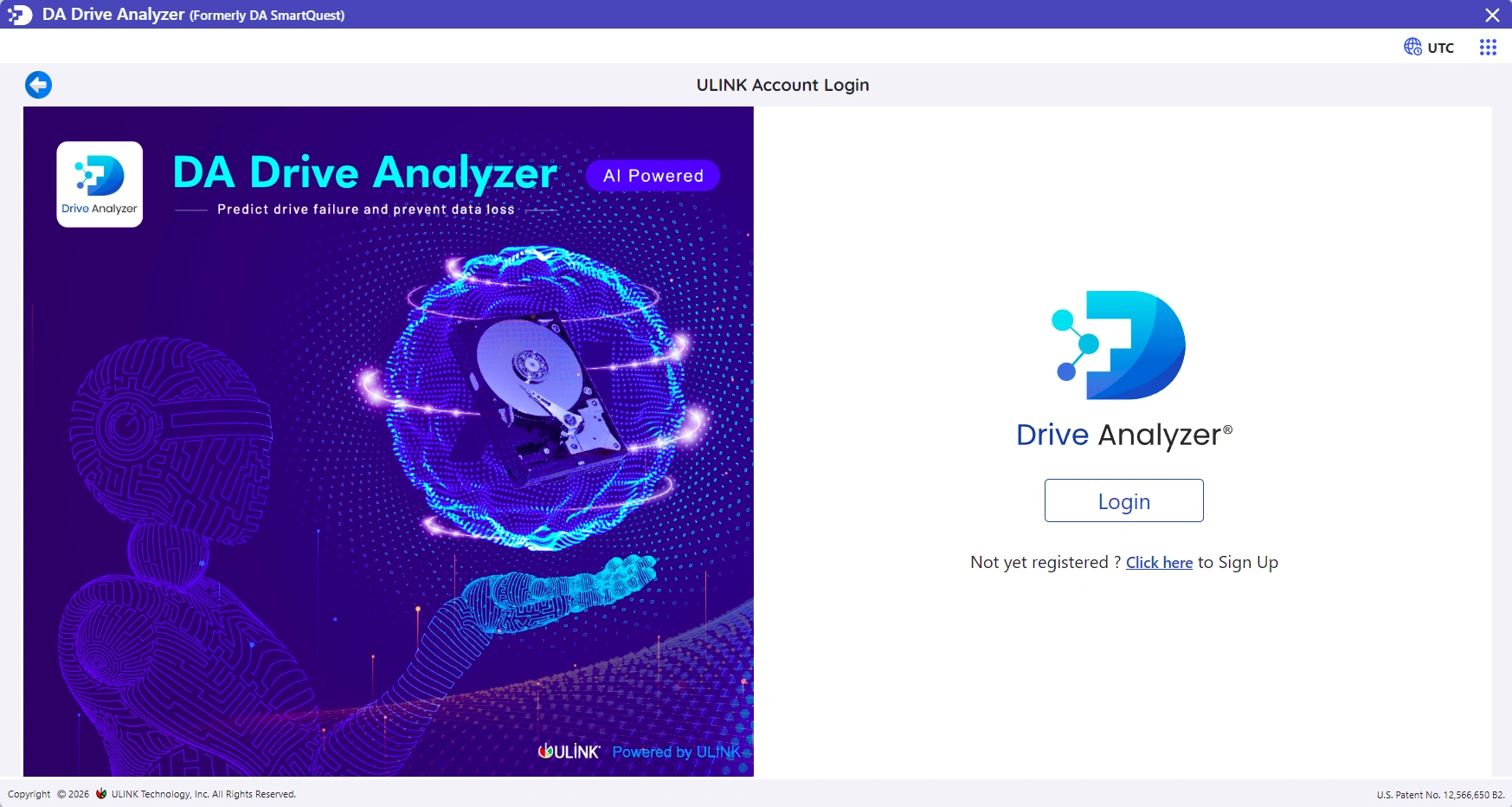
AI-based failure prediction
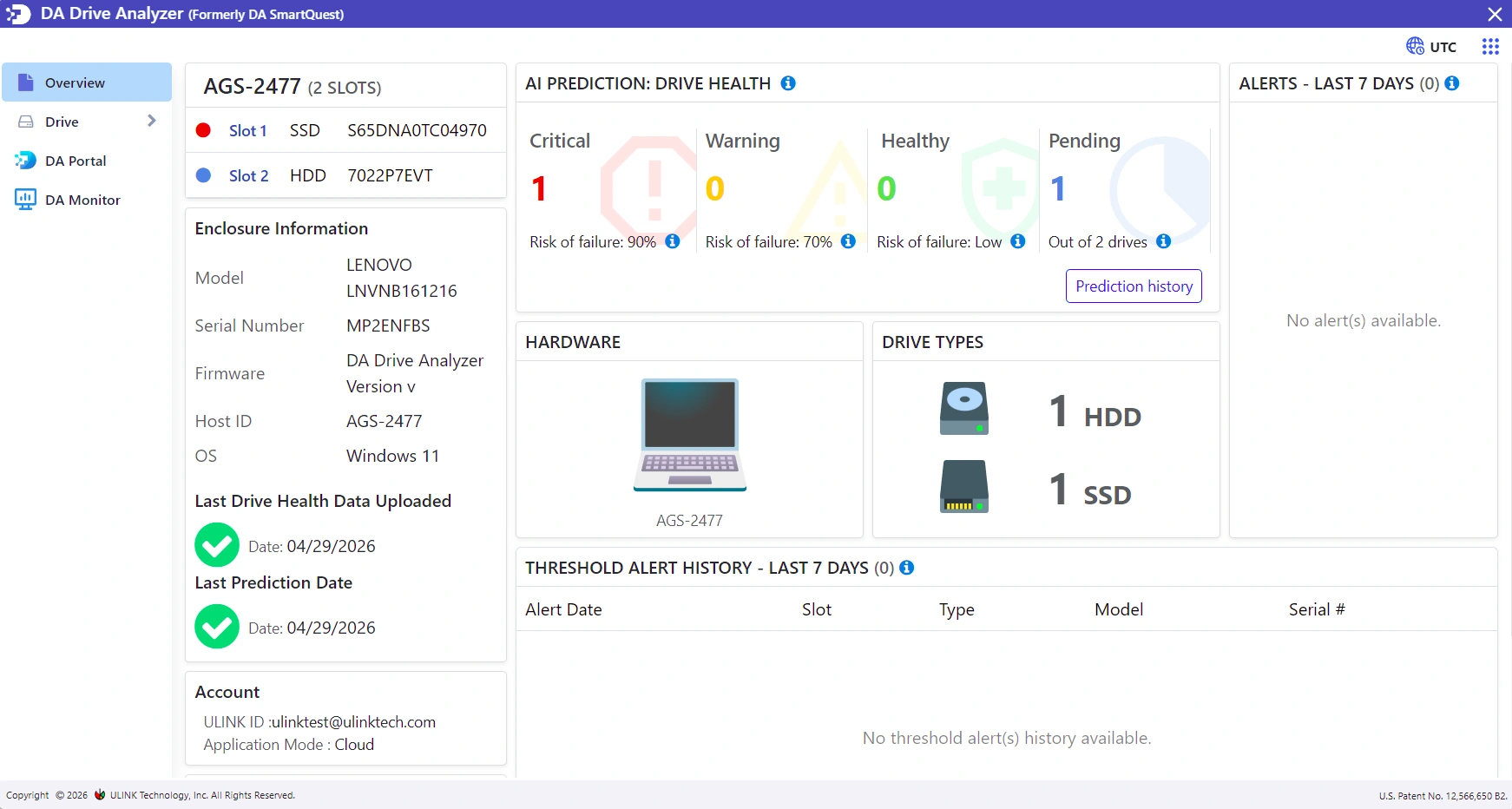
SMART & advanced health metrics
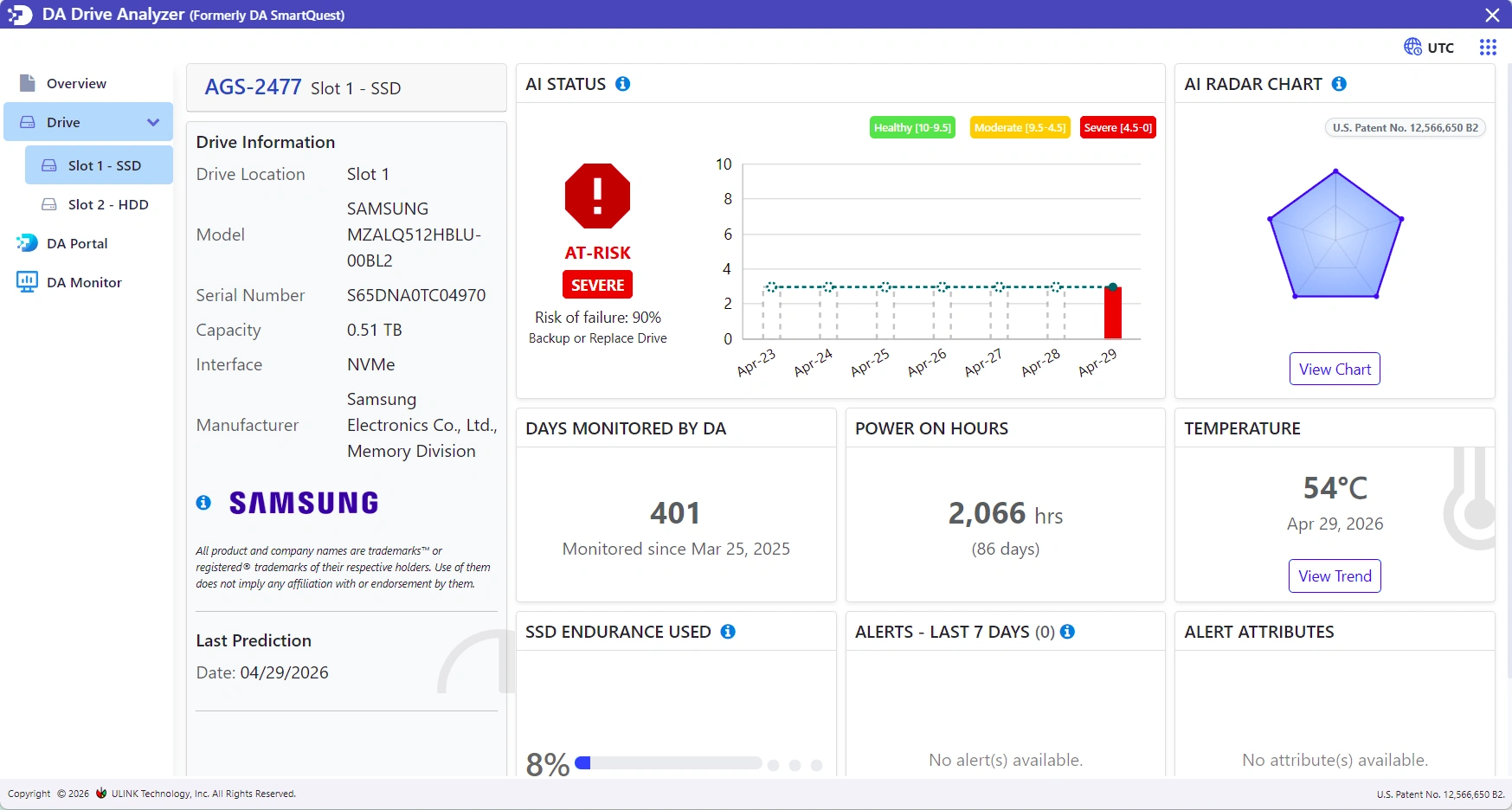
Alerts & risk levels
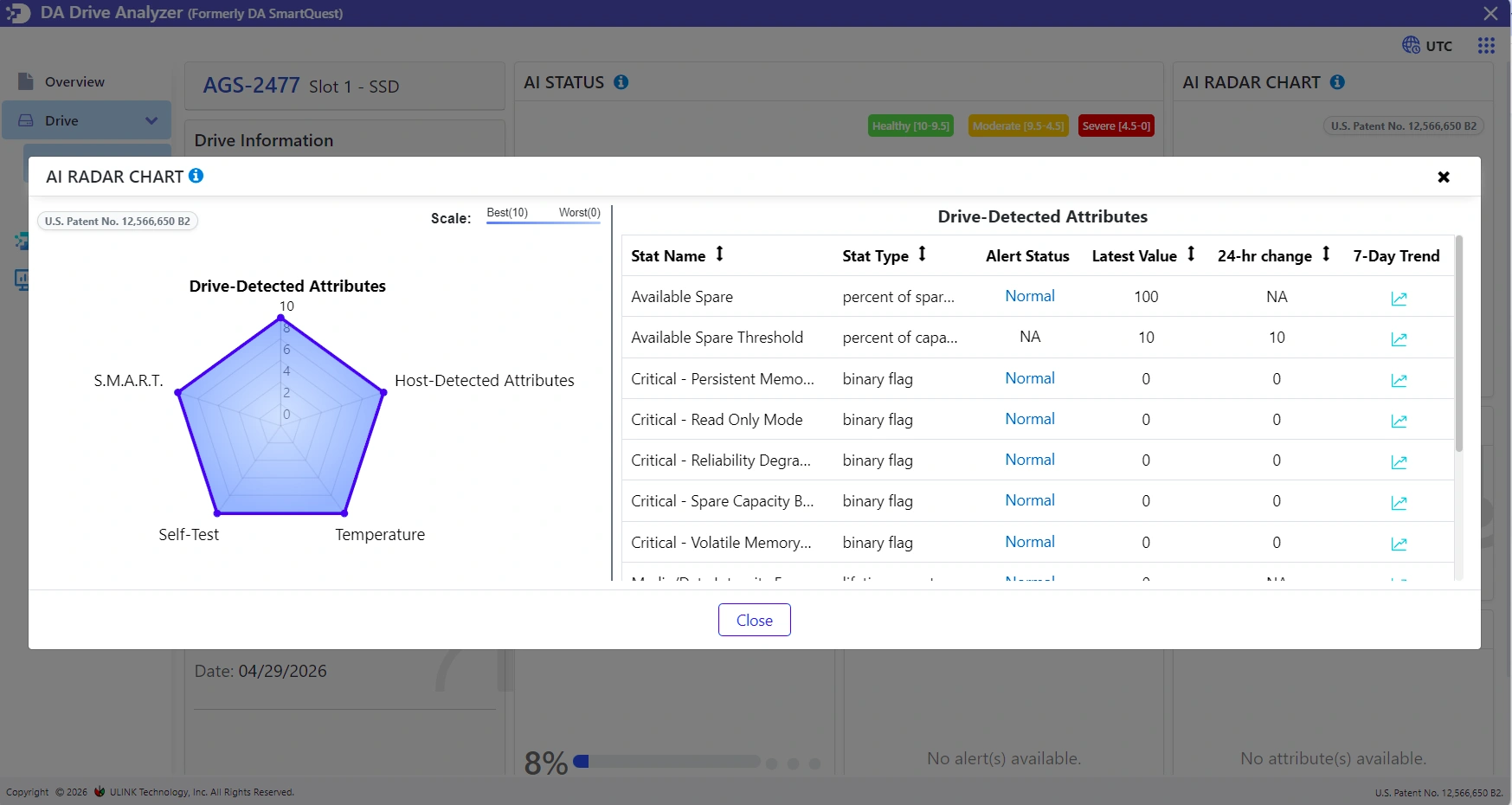
Cloud vs Standalone mode settings
100% Offline AI. Zero Cloud Upload.
Standalone Mode processes all drive health analysis locally on your PC, ensuring zero cloud uploads and complete data isolation.
Drive data never leaves your PC
On-device AI model
Perfect for secure, air-gapped or privacy-sensitive environments
100% Private
On-Device
Flexible Installation : Cloud or Standalone
Use Cloud Mode for multi-device monitoring and alerts, or Standalone Mode for fully offline AI predictions with zero data upload.
| Feature |
Cloud Mode
|
Standalone Mode
|
|---|---|---|
| AI predictions | Yes | Yes |
| Internet required | Yes | No |
| Data upload | Encrypted health data | None |
| On-device AI | No | Yes |
| DA Portal – Cloud Dashboard | Yes | No |
| DA Monitor | Yes | No |
| Notification & Alerts | Email & In-app | In-app |
Your drive health data stays under your control – always.
Privacy-First & GDPR Compliant
DA Drive Analyzer analyzes drive health – never user files. No documents, photos, or user data are accessed or transmitted. Only anonymized drive health metrics such as SMART attributes, temperature, and performance signals are analyzed.
Drive health metrics only
No file content access or inspection
GDPR compliant
Secure processing with industry-standard protection
GDPR Compliant
Private
Try DA Drive Analyzer Free for 7 Days
Full access. All features. Monitor all connected drives – no limitations.
Experience AI-powered drive health monitoring, early prediction alerts, and both Cloud or Standalone (fully offline) modes during your trial period.
No credit card required • First prediction within 24 hours
Get Started in Minutes
From installation to AI-driven prediction in just a few steps.
Install DA Drive Analyzer for Windows PC or Server
Download the installer after license purchase.
Activate Your License
Select Cloud Mode or Standalone (Fully Offline) and enter your license key.
Collect Drive Health Data
SMART data and system metrics are gathered automatically.
Receive Predictive Insights & Alerts
Get early warnings before degradation impacts your system..
Choose Your DA Drive Analyzer PC License
Compare Trial, full PC, and Lite at a glance. Lite focuses on essentials; full PC and Trial include AI prediction and advanced alerts.
| Feature |
FREE TRIAL
DA Drive Analyzer PC Trial
$0.00 for 1 week
No credit card
|
BEST VALUE
DA Drive Analyzer PC
$5.00 / year
|
DA Drive Analyzer PC Lite
$0.00 / year
No credit card
|
|---|---|---|---|
| All drives in a PC | |||
| Windows PC support | |||
| AI-Based Drive Failure Predictions | |||
| Supports SATA, SAS & NVMe drives | |||
| Standalone mode for privacy | |||
| Daily Drive Health Monitoring | |||
| AI Radar Chart | |||
| Fault & Threshold Alerts | |||
| Exportable Alerts & Reports | |||
| Email Alerts & Weekly Reports | |||
| In-App Notifications | |||
| DA Portal (free cloud monitoring dashboard) | |||
| DA Monitor (free drive health monitoring app) | |||
| Installation guide | |||
| Customer Support (email) |
Trial is limited to one week. DA Drive Analyzer PC is billed annually. Lite remains free with a reduced feature set.
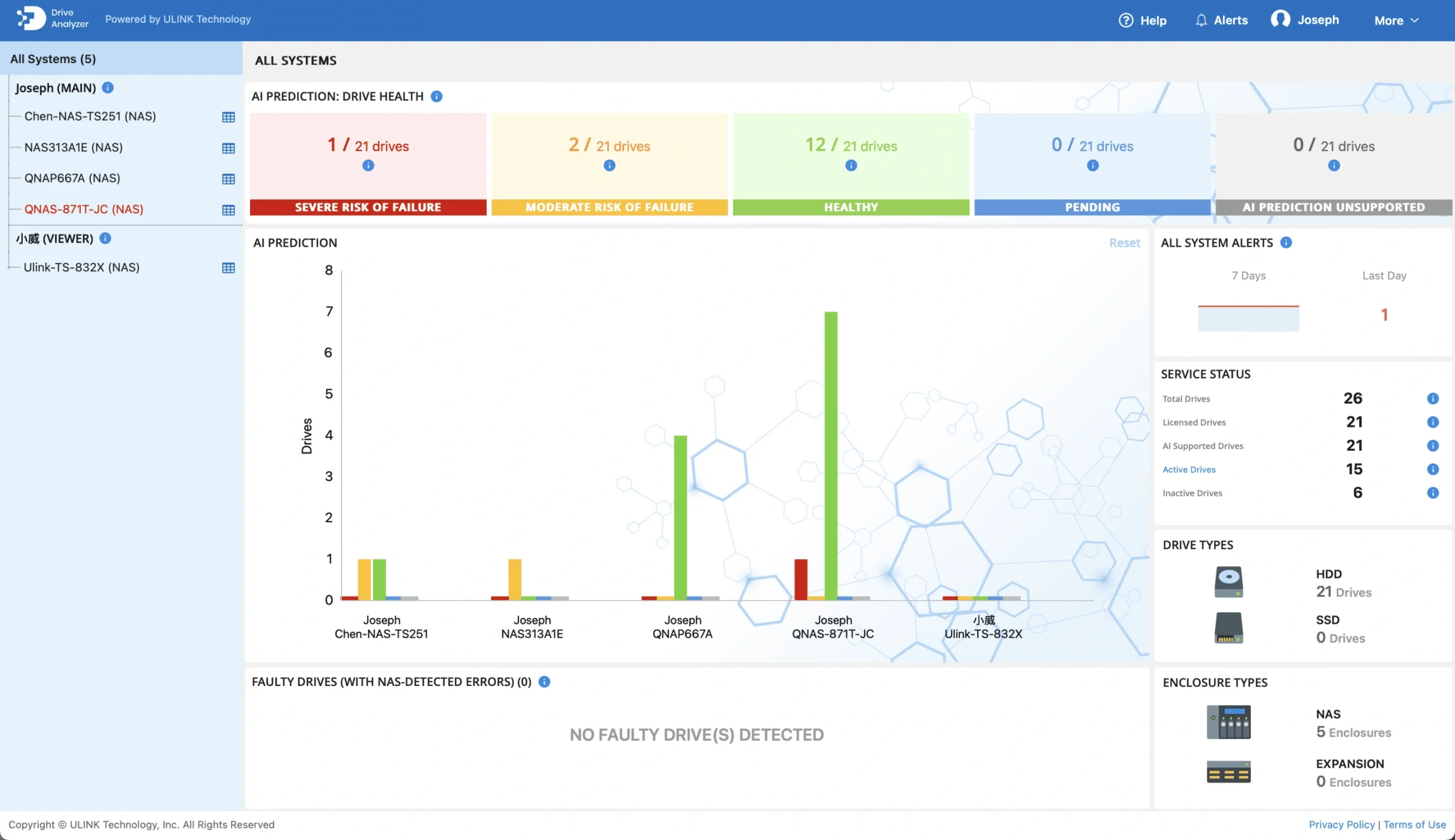
DA Portal Cloud Dashboard for Drive Insights
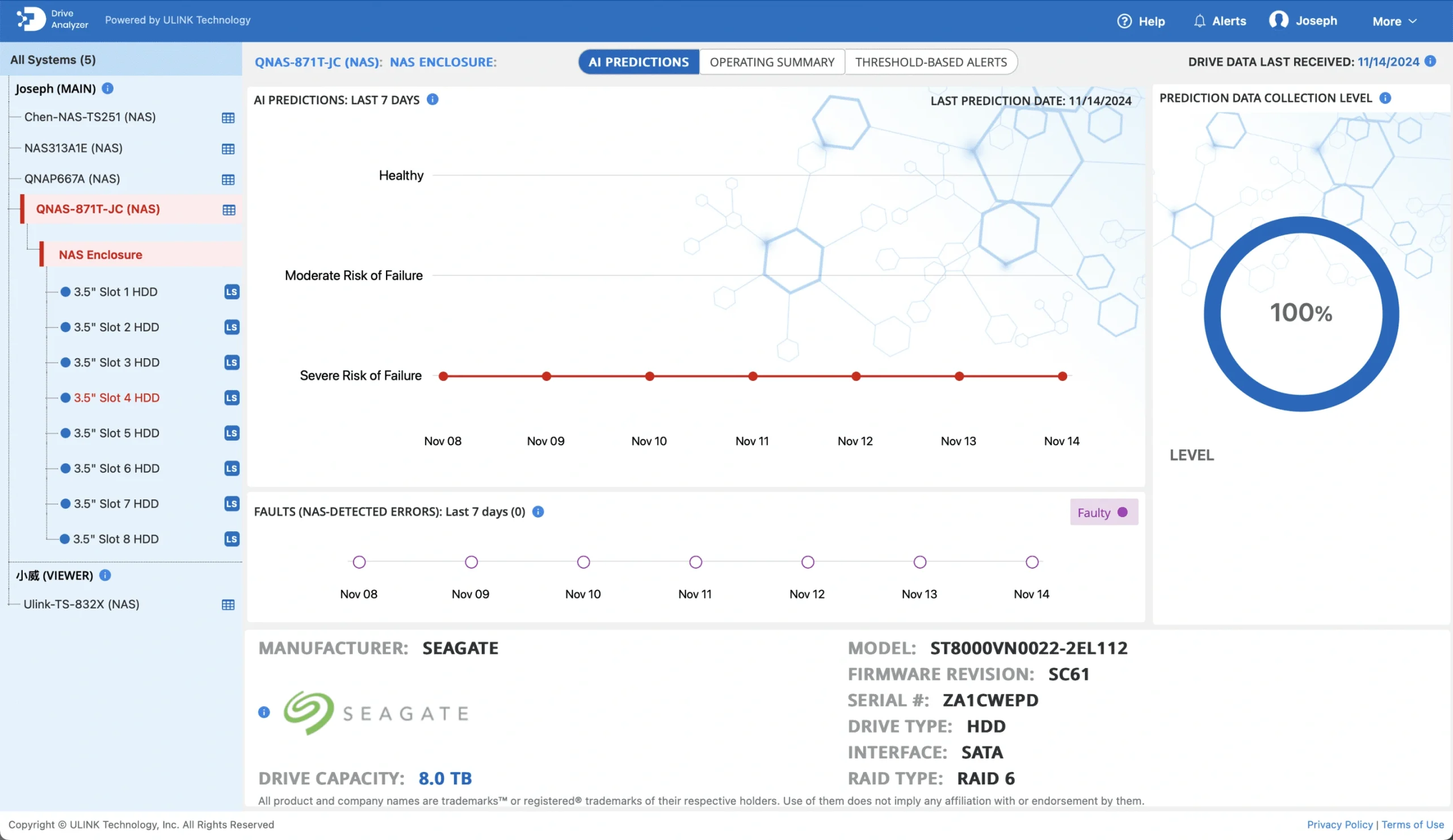
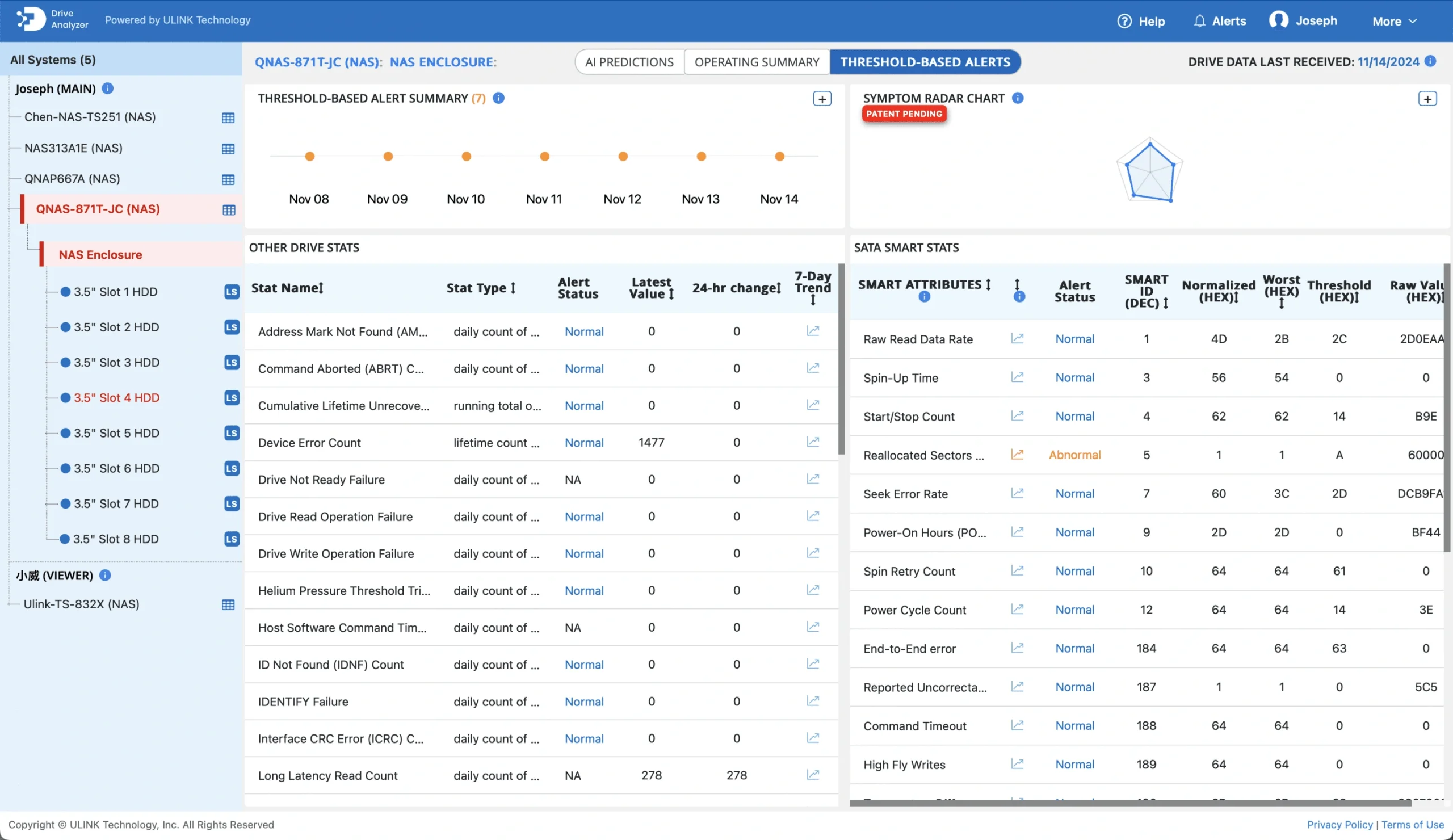
DA Portal is an online dashboard available for Cloud Mode users. It provides a centralized view of alerts, AI predictions, and detailed health metrics from your drives.
View AI-based drive failure predictions
Monitor alerts from multiple systems
Explore detailed drive health metrics
Track drive counts across devices
Track prediction history over time
Access dashboard from anywhere
Works With 99%+ of Drive Models
DA Drive Analyzer supports most commercially available HDDs and SSDs. If your drive isn’t supported, you can cancel within 14 days for a full refund.
SATA HDDs & SSDs
NVMe SSDs
SAS/SCSI Drives
Simple, Affordable Licensing
Start a 7-Day Full Trial – Monitor all your drives with complete AI prediction and alerts. No drive limits
Free trial available
No credit card required
From $5 per year
Instant access
Frequently Asked Questions
Everything you need to know about DA Drive Analyzer
Built by Storage Experts at ULINK
DA Drive Analyzer for PC was developed by ULINK Technology to bring enterprise-grade AI drive failure prediction to Windows PCs making proactive drive health monitoring accessible to everyone.
Don’t Wait Until It’s Too Late
Detect early degradation patterns and take action before failures disrupt your work.